
跳转到主要内容

Documentation Index

Fetch the complete documentation index at: https://docs.textin.com/llms.txt

Use this file to discover all available pages before exploring further.

腾讯云 COS

腾讯云 COS(Cloud Object Storage)兼容 S3 协议,可以使用 S3 SDK 接入。

如何获取鉴权参数

  1. 登录 腾讯云控制台
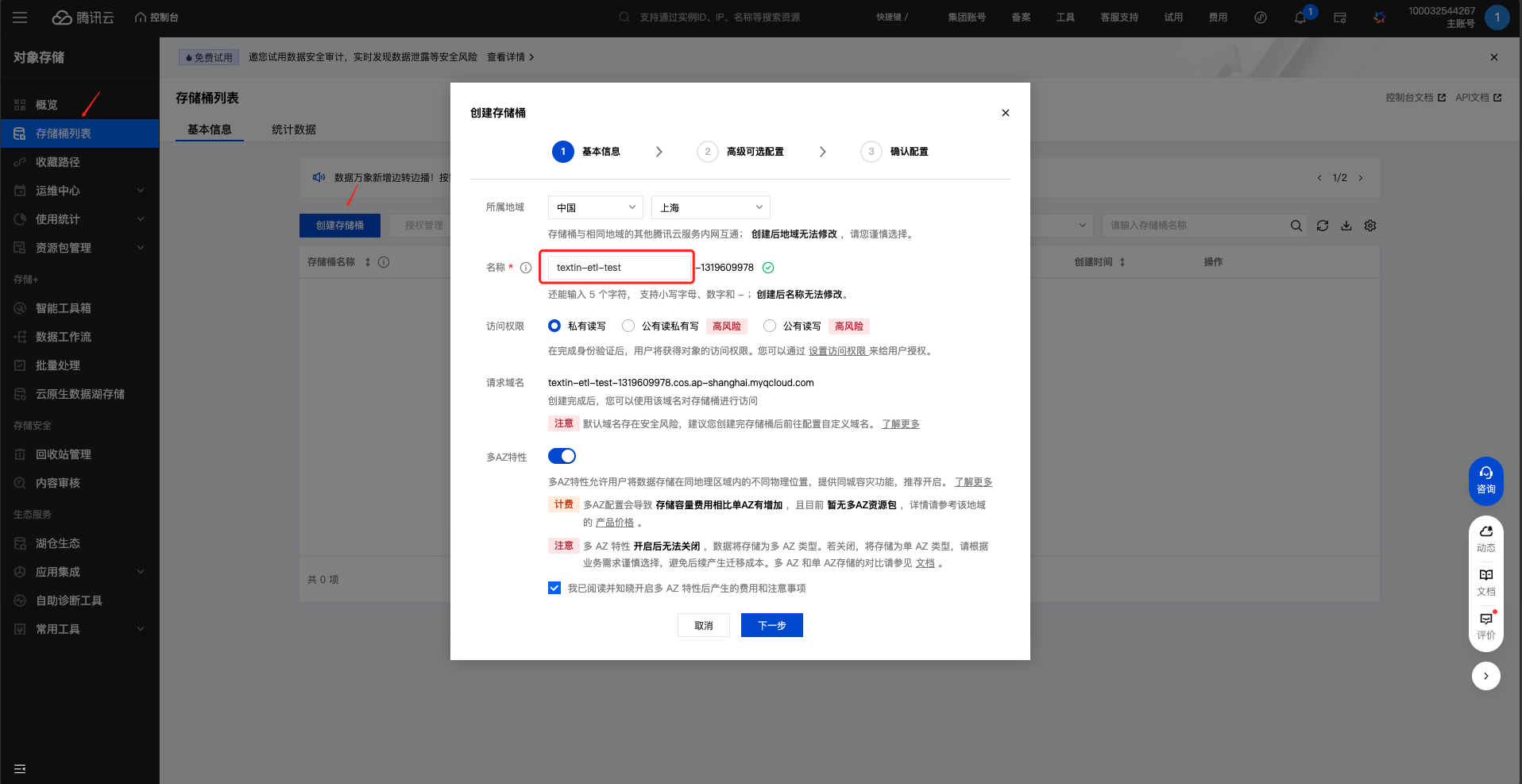
  2. 进入 COS 服务,创建存储桶 创建存储桶
  3. 获取访问密钥:
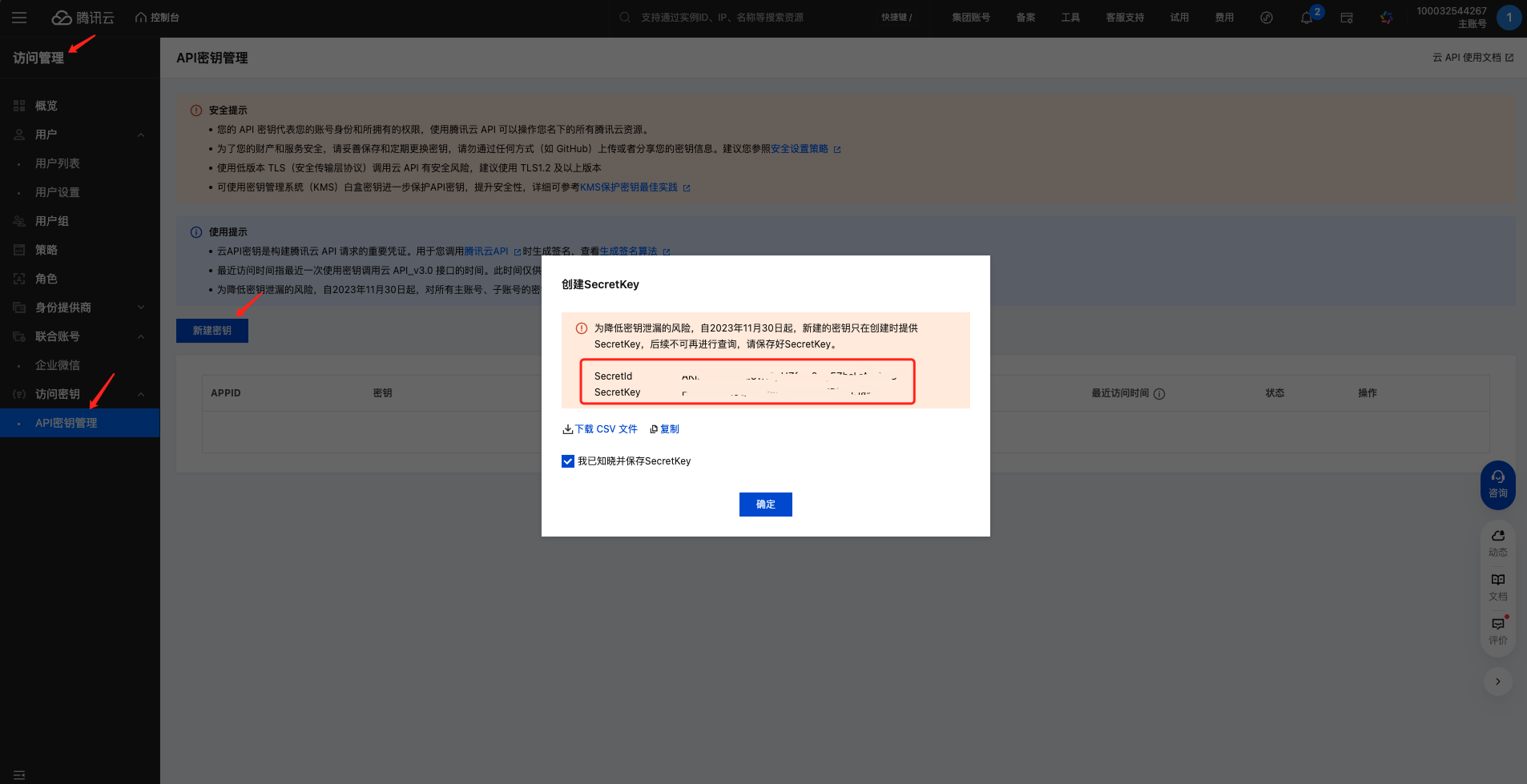
    • 进入”访问管理” → “API 密钥管理”
    • 创建或查看密钥,获取 SecretIdSecretKey
    • 确保密钥具有 COS 读取权限,至少包括:
      • cos:HeadBucket:检查存储桶是否存在
      • cos:GetBucket:获取存储桶信息
      • cos:GetObject:获取对象内容 获取密钥
  4. 获取 COS 端点:
    • 在存储桶概览页查看”访问域名”
    • 格式:https://cos.{region}.myqcloud.com
    • 例如:https://cos.ap-shanghai.myqcloud.com 获取端点

配置示例

source = S3Source(
    endpoint='https://cos.ap-shanghai.myqcloud.com',
    access_key='your-secret-id',
    secret_key='your-secret-key',
    bucket='your-bucket-name',
    prefix='documents/',  # 可选
    region='ap-shanghai'
)

使用示例

from xparse_client import S3Source, Pipeline

source = S3Source(
    endpoint='https://cos.ap-shanghai.myqcloud.com',
    access_key='your-secret-id',
    secret_key='your-secret-key',
    bucket='my-documents',
    prefix='pdfs/',
    region='ap-shanghai'
)

# ... 其他配置

pipeline = Pipeline(
    source=source,
    # ...其他配置
)
pipeline.run()

参考文档